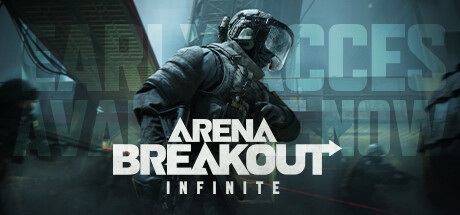

Arena Breakout: Infinite is an extraction shooter: entering a raid is only half the task. You fight, search for useful items and need to leave through an available extraction. Equipment carried into the raid is part of the risk you accept.
MoreFun's official site describes PvP and PvE encounters, weapon customization and several ways to deploy. The learning goal for a first raid is to understand the route and return with information, rather than spend everything on a loadout you cannot yet use.
Confirm the PC client and account requirements
Start from the official website or the MoreFun Steam listing. Read current hardware and storage requirements before installation. The Steam page discloses a Level Infinite Pass account requirement, in-app purchases and Anti-Cheat Expert, identified there as kernel-level anti-cheat.
Choose that installation deliberately if you have preferences about background anti-cheat software. Do not try to remove required components while expecting to play normally. If you already have progress through another route, check account-linking instructions before making a fresh profile.
After the download, complete the tutorial and locate the inventory, medical controls and map. Check the selected mode and its entry requirements. Those checks belong before your first expensive deployment.
Give your first loadout one job
Our recommendation is a modest kit for a specific learning task, such as a short route on one map. Inspect the weapon, ammunition and magazines together instead of treating the gun as the complete build. Read the live descriptions for armor, medical items and any entry restrictions.
Before you confirm deployment, answer these questions:
| Part of the plan | What to verify |
|---|---|
| Weapon and ammunition | The ammunition is compatible and you know how the equipped weapon handles. |
| Medical supplies | You understand what each available item treats and where its control is bound. |
| Carrying space | There is room for useful loot without carrying a pile of unnecessary items. |
| Cost | Losing the kit will still leave enough resources to continue learning. |
| Route | You know an initial destination and how to check extraction conditions. |
This is a preparation method, not a prescription that one kit wins on every map. Equipment requirements and the economy change with modes and updates.
Plan extraction before choosing loot
At the start of the raid, inspect the map and the extracts available to your deployment. Read their conditions in the current client; a marker on a map is not enough to establish that it will work for you.
Pick a short initial route with a return plan. Loot deliberately rather than stopping at every container. Before adding another detour, consider the time left, your condition, the equipment you carry and the path you still need to cover.
If a fight begins, use information as part of the decision. Where did the sound come from? Is there cover for a retreat? Does taking this engagement support the route, or simply expose gear you already recovered? A decision to leave can be successful even when another player remains nearby.
Learn maps and modes in a manageable order
The publisher describes Tactical Ops, Solo Ops, Covert Ops and limited-time activity, alongside Normal, Lockdown and Forbidden Zone difficulty tiers. Read the live rules and unlocks instead of assuming that a different deployment preserves the same equipment or cost rules.
For learning, repeat a map enough to recognize a few reliable landmarks. After a raid, note where you lost orientation, which extraction condition surprised you and whether your equipment matched the engagement distance. Weather or low visibility can make a familiar route feel different; familiarity should improve decisions, not remove caution.
Customize to solve a problem
Weapon modifications can change handling, recoil and range. Start with a weapon you can afford to repeat, then change one part for a reason you can name. If you cannot control it, compare practical handling before buying every expensive attachment.
A larger inventory value is not the same as a better plan. Keep enough resources to replace a learning kit and avoid treating a single failed raid as a reason to buy your way back immediately.
Performance and connection checks
Use a repeatable scene to evaluate graphics changes. Lower one setting and compare clarity and frame pacing before changing another. For a connection problem, record the region, timing and error separately from local stutter.
If the client fails to launch, use the official launcher's or Steam's available verification tools and retain the exact error. For account issues, compare the identity before reinstalling. The publisher's site remains the starting point for official service information and support routes.
Sources and scope
- Official Arena Breakout: Infinite game and mode descriptions
- Official MoreFun PC listing and disclosures
Sources checked on November 2, 2026. This guide uses publisher documentation and editorial recommendations; it is not a scored hands-on review.
Elena Rostova
This is an editorial pen name used by Nexrivium, not a personal expert profile. Check each article for its sources, scope and any verified test method.
Nexrivium — editorial methodology