
🌐 English ▾
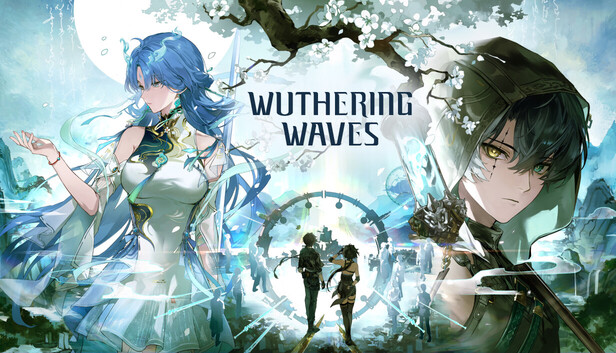
Wuthering Waves is Kuro Games' open-world action RPG starring Rover and a cast of Resonators. Its appeal is active movement and combat: you need to read an opponent, use the tools of the character on the field and decide when a different Resonator should take over.
Use the official game site or Kuro Games' Steam listing for the current PC route. This guide offers a way to learn and evaluate the game without claiming a benchmark or ranking characters from unrecorded tests.
Check the PC package before downloading
Steam lists a Kuro Games account requirement and linking support. It also discloses Anti-Cheat Expert as kernel-level anti-cheat. Read those requirements before installing if the account or software setup affects your choice of client.
The checked Steam page lists Windows 10 64-bit, 16 GB RAM, an Intel Core i5 ninth-generation/Ryzen 2700-class processor, GTX 1060/RX 570/Arc A380-class graphics and 150 GB available space as its minimum guidance. The recommendation rises to 32 GB RAM and an SSD. Check the live listing for the complete current configuration; minimum specifications do not establish a fixed frame rate.
Choose a drive with space for updates as well as the installed client. Then sign in, select the intended server and verify any existing progress before committing to a new profile. Platform support and the availability of a particular promotional link are separate matters.
Learn one character before optimizing the entire team
Start with the tutorial and read the current descriptions for the Resonators you own. Find normal attacks, skill, Liberation, the character-specific gauge or mechanic, dodge and the relevant switch effects in the client.
Our recommendation is a small practice sequence: use a basic attack string, identify an enemy's approach, evade deliberately and return to offense when you understand the opening. Add another part of the kit only after you can recognize what the first one does.
| When an encounter feels difficult | A useful question |
|---|---|
| You lose health while attacking | Which enemy signal should have prompted a dodge or a pause? |
| Skills feel disconnected | What does the character's own mechanic ask you to build or spend? |
| Switching feels random | What effect or role do you want from the next Resonator? |
| Damage seems low | Are equipment, ability levels and encounter conditions appropriate to the task? |
These questions help diagnose the problem before you spend resources on another character. They are not a fixed rotation for every Resonator.

Choose a team with a purpose
The official description presents Resonators with different abilities and Echo Skills as part of combat. Inspect the current skill text rather than selecting three characters solely by rarity or an old tier list.
Describe what each member contributes: time on the field, support for another member, survivability or another function your available kit provides. Then try the team against a comparable encounter. Keep enough of the setup stable that you can understand whether the change helped.
Do the same with Echoes. Read the actual effect and how it fits the character you use before treating a rare drop as an automatic upgrade. The official version notes show that Echo management and combat details can change through updates; current descriptions take precedence over a screenshot from an earlier version.
Explore without turning the map into a chore
Use the main progression to learn movement and unlocks, then choose a small area or objective you want to complete. Connect exploration to a practical need: materials, a route, a quest or learning the traversal tools available to your account.
Avoid trying to clear every marker in one sitting if that is not the part you enjoy. A useful session can be a story chapter, a resource goal or learning one fight. Record what remains locked and return when the game explains the prerequisite rather than forcing a route intended for a more developed account.
Upgrade the bottleneck you can identify
Before committing scarce materials, establish what prevents progress. If the issue is reading attacks, equipment spending may not solve it. If the character's relevant levels or equipment are behind the encounter, inspect those costs before spreading resources across the entire roster.
Read the current acquisition and purchase rules before paying. This guide does not promise a banner outcome, a launch reward or a permanent event bonus. Try the ordinary combat and exploration routine long enough to decide whether you enjoy it.
Assess performance and errors separately
For graphics comparisons, use the same area and camera movement, then change one setting. Judge responsiveness and frame pacing as well as image detail. A publisher's requirements are a compatibility reference, not our test result.
For a failed update, check storage and the client's available repair function. For missing progress, compare account and server. For a crash, retain the exact error and client version. Check the official notice for the current version before applying a fix written for a different update.
Sources and scope
- Official Kuro Games Steam listing, requirements and disclosures
- Official Wuthering Waves website
- Official version 3.7 notes
Sources checked on November 2, 2026. This guide uses publisher documentation and editorial recommendations; it is not a scored hands-on review.
Elena Rostova
This is an editorial pen name used by Nexrivium, not a personal expert profile. Check each article for its sources, scope and any verified test method.
Nexrivium — editorial methodology